How to order a knife job
1. Buy appropriate materials
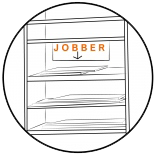
- Write your name on it and put it on the shelves marked "jobber" in the workshop.
2. Hand in your file

- Hand in your file on the workshop's Moodle page.
3. Fill out the form
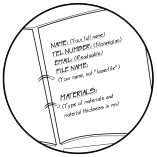
- Fill out the form on Moodle. We'll let you know when the file is approved.
4. Pay and pickup
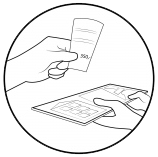
- When the job is done, we will let you know. You will then pay and hand over the receipt to pick up your job.
How to make a knife file
- Cutting lines should be at least 10 mm from the material edge.
- Only include the necessary layers. Please see the colour instructions for all the layers.
- If your file contains small and fragile pieces, make sure to add some extra ones.
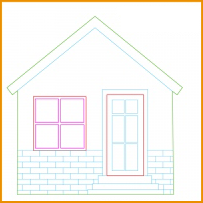
Only include the necessary layers:
| Colour | Layer |
|---|---|
 |
Inner cut 1 |
 |
Inner cut 2 |
 |
Outer cut |
 |
Engrave |
 |
Plate |
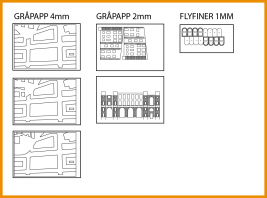
Different boards can be saved in the same file, just be clear on what is what.
File types
For cutting:
- Save as DXF R12 or R13/R14. Preferably not he newer versions.
For engraving:
- JPEG (raster)
- DXF (vector)
- Vector illustrations must be saved as AXF
- Hatches must be converted to geometry
Working area
- Maximum working area: 1210 mm x 710 mm
- Check that the file is in 2D and the right scale.
Prices
- 350 NOK per hour
- 175 NOK minimum charge
- 1250 NOK per hour for commercial use (ex. MVA)
Delivery
Minimum three days from delivery to finished product.
File delivery
Opening hours
- Opening hours are occasionally on workdays.
- You can send in your files online at any time.
Contact
For support or questions, please drop by the workshop.
You can also contact us by e-mail: